QR & Barcode Reader
Scan QR & barcodes, get data in seconds.
Point your camera or upload a photo - we decode QR codes and common barcodes (EAN, Code 128, etc.) and return the serial or part number. No typing, no dedicated scanner hardware.
Works in the same app as nameplate capture and background removal.
Barcode
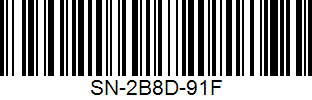
Extracted data
SN-2B8D-91F
Simple workflow
How it works
No separate scanner app. Scan or upload a photo, get the decoded content, then review and export when you’re ready.
Point or upload
Use the in-app camera (on your phone or laptop) or upload a photo that contains a QR or barcode. One scan or add to your list - your choice.
We decode it
Our reader detects QR and common barcode formats (EAN-13, Code 128, etc.) and extracts the payload - serial number, part code, or other encoded text.
Review & export
See the decoded value in your list. Edit if needed, then export to a spreadsheet or your platform. You control where the data goes.
Capabilities
Scan, review your decoded list, then export. Simple workflow with no extra tools.
QR + barcodes decoded
Point your camera or upload a photo. We return serial or part number—no typing, no separate scanner.
Export to your list or platform
Decoded values go into your scanned list and can be exported as a spreadsheet or sent to your platform - you choose.
Camera or photo
Live scan or upload - same result. Multiple codes per session; each appears as a row in your list.
No retyping
Paste serials and part numbers from the reader - fewer errors, faster than typing from the label, no extra hardware.
Export to your platform
One - click platform export or download CSV/JSON for Excel, Google Sheets, or any system.
 Shopify WooCommerce
  PrestaShop
  Odoo
Odoo  BaseLinker
  eBay CSV / Excel
 FAQ
Common questions about the QR and barcode reader.
Which barcode and QR formats are supported?
QR codes and common linear barcodes such as EAN-13, EAN-8, Code 128, and Code 39. We extract the encoded data (serials, part numbers, text). If your label uses one of these, we can decode it from a photo or live scan.
Do I need a separate scanner or app?
No. The reader is built into AutomaSnap. Use your phone camera in the app or upload a photo; no dedicated hardware or extra app required.
Can I edit or delete a scanned result?
Yes. Decoded data appears in your list where you can edit it, delete a row if you scanned the wrong thing, or add notes. Then export when you're ready.
Is there a free trial?
Yes. Try the QR and barcode reader in the app with no credit card. No commitment required.
Free trial - no credit card
Decode QR and barcodes in the next minute.
Open the app, point at a code or upload a photo, and get the result. No setup - same account as nameplate and background removal.
No commitment. Cancel anytime.